CH-J Toolsserver management over SSH
Menu
A CH-J Software project → DESKTOP APPLICATION · ALPHA / BETA

CH-J Tools – SSH client · Linux server management

SSH, SFTP and diagnostics in one application.

Manage remote servers from Windows, macOS or Ubuntu / Zorin OS with an SSH terminal and SFTP file manager. Check network services, diagnose server connections and verify file checksums.

Credentials stay in an encrypted local vault. The application requires no CH-J account, supports plugins and is free for commercial and noncommercial use under the current license.

Alpha and Beta development builds are available. Before using them on important systems, review the limitations of individual features and prepare backups.

Windows 11 · macOS Apple Silicon · Ubuntu 24.04 · Zorin OS

3available platforms
SHA‑512integrity check for every package
CH-J KEYS2 · keys2.ch-j.de

OpenPGP ready for the post-quantum era.

CH-J Keys2 (keys2.ch-j.de). A public keyserver on CH-J's own infrastructure. Publish and find public OpenPGP V4 and V6 certificates with support for all seven post-quantum algorithms in RFC 9980 and VKS/HKP interfaces. Private keys stay with you.

OpenPGP V4 / V6 · 7/7 PQC · RFC 9980

VKS / HKP · IPv4 + IPv6

CH-J Keys2 (keys2.ch-j.de) — Interoperability test, 8 November 2026: 30/30 certificates from CH-J Tools, GnuPG, rPGP and Sequoia PGP uploaded through VKS and retrieved by fingerprint in full, including subkeys.

The transition includes a planned migration of public keys from keys.ch-j.de to keys2.ch-j.de so they remain available to users. Missing signatures and subkeys in incomplete PQ certificates will need to be restored from a complete public certificate.

Development version · The PQC backend is experimental. The certificate preservation test is neither a security certification nor verification of every server feature.

keys2.ch-j.de →
Rust · Tauri 2 · 0.1.2

From Electron to Rust and Tauri: a new foundation for Server Manager

Beta 0.1.2 with Rust and Tauri 2 is released under the new name CH-J Tools and is the default download. Alpha 0.1.1 and Beta 0.1.0 remain available as older releases. The gallery still shows the Alpha 0.1.1 interface in the language of this page.

New in Beta 0.1.2

New name CH-J Tools

Server Manager is now called CH-J Tools. On first launch, the existing data folder moves automatically, the Windows installer removes the old installation, and the ch-j-tools DEB package replaces ch-j-server-manager.

Signed and notarized macOS version

The DMG package is signed with an Apple Developer ID Application certificate and notarized by Apple. Each installer file also has a detached OpenPGP signature and a SHA-512 checksum.

Standby Helper and signatures from the context menu

A small background process without WebView is enabled after installation and can be disabled in Settings. It adds Verify signature and Sign (OpenPGP) actions to Finder, Explorer, Nautilus, Nemo and Dolphin. Quick verification uses keys from Keychain, saved public keys, a selected key file or a key from keys.ch-j.de based on the fingerprint in the signature, and shows the key's revocation status on keys.ch-j.de.

Apache Manager, Rsync Manager and Network Manager

Apache Manager manages sites, modules, PHP, TLS and reverse proxies with change previews. Rsync Manager copies, mirrors and backs up with previews and scheduling. Network Manager shows interfaces, routes, ports and the firewall; it rolls back a network change if you do not confirm it after logging in again via SSH.

Post-quantum cryptography

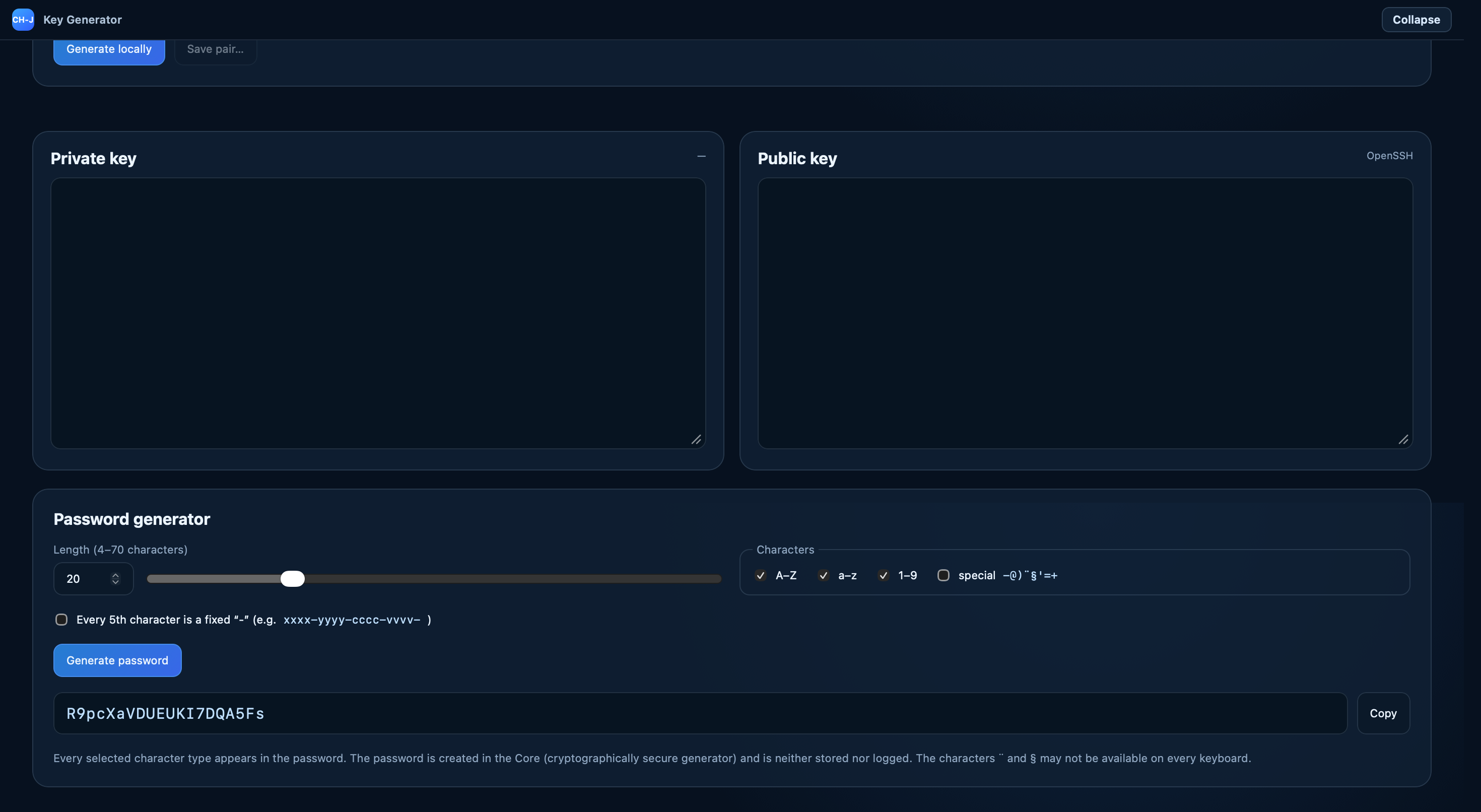
Keychain and Key Generator offer hybrid and post-quantum OpenPGP algorithms under RFC 9980 (ML-DSA, SLH-DSA, ML-KEM) and the SSH key ssh-mldsa44-ed25519. SSH connections offer three hybrid ML-KEM key exchanges under RFC 10042, with “prefer hybrid” or “hybrid only” options.

Terminal, modules and settings

The terminal suggests commands based on the connected system and offers appearance profiles. Modules open in the main window and can be moved to their own window. Settings is divided into sections, and the application starts faster on Windows.

What the Beta does not yet offer

Port forwarding, remote archive extraction, dragging files from Finder or Explorer, and copying between servers requiring sudo are not yet available. The Windows installer is not signed with a publisher certificate. The test on 8 November 2026 confirmed a Hagrid bug on keys.ch-j.de: for 15 certificates with a PQ primary key, the server returns only the primary key without signatures or subkeys, although the application reports a successful upload. Beta 0.1.2 still uses this server. Local certificates remain complete. The loss of signatures and subkeys is the reason for moving future application versions to CH-J's own keyserver, CH-J Keys2 (keys2.ch-j.de). It was Keys2 that preserved 30/30 certificates including subkeys in the VKS test. The original keys.ch-j.de uses Hagrid and is a separate service. The transition includes a planned migration of public keys from keys.ch-j.de to keys2.ch-j.de so they remain available to users. Missing signatures and subkeys in incomplete PQ certificates will need to be restored from a complete public certificate.
DOWNLOAD THE APP

Download and installation

All releases and updates →

Windows 11

x64 · 64 bit

Beta v0.1.2

EXE · first installation and updates · 16.3 MB

Download for Windows
Technical details
File
CH-J-Tools-Setup-0.1.2-x64.exe
Published
Nov 7, 2026, 11:43 PM
Build ID
0.1.2-beta · Application source code

License 1.14. Before each new build is used, the application displays CS/DE/EN guidance and asks for license acceptance. Create and test backups before risky operations. The application does not guarantee that backups exist or can be restored. License · Documentation and guidance

Show full SHA-512bffb03f3a8f93ce3ef24de06712b4ac9c8b4d5fc43d42efe61effb1e6944e52c0035cc740708dd6a079e680b81221f991bdbe3d6c42db35eb26c5b99dfc34dac

GPG signature (.asc) · Verify signature and file

Installation guide →

macOS

Apple Silicon · arm64

Beta v0.1.2

DMG · installation and updates · 29.9 MB

Download for macOS
Technical details
File
CH-J-Tools-0.1.2-arm64.dmg
Published
Nov 7, 2026, 11:43 PM
Build ID
0.1.2-beta · Application source code

License 1.14. Before each new build is used, the application displays CS/DE/EN guidance and asks for license acceptance. Create and test backups before risky operations. The application does not guarantee that backups exist or can be restored. License · Documentation and guidance

Show full SHA-512fc6d6ce1264c3948b13b16dd905d8019d806012c5aafccff71777d711c67d9156d7b97d723d3535cbe7e5e1fc34538b9cc67226a362470e11b72030f3864271f

GPG signature (.asc) · Verify signature and file

Installation guide →

Ubuntu / Debian / Zorin OS

x64 · 64 bit

Beta v0.1.2

DEB · Ubuntu 24.04 / Zorin OS · 24.7 MB

Download for Linux
Technical details
File
ch-j-tools_0.1.2_amd64.deb
Published
Nov 7, 2026, 11:43 PM
Build ID
0.1.2-beta · Application source code

License 1.14. Before each new build is used, the application displays CS/DE/EN guidance and asks for license acceptance. Create and test backups before risky operations. The application does not guarantee that backups exist or can be restored. License · Documentation and guidance

Show full SHA-512755024fa4f38465ecfc0e5ba9a2596240051f8ad6dda8c4081f2ed5c5d14f5d573783ccd6831e1e1a24ac7f8727ca2dd14860c25ea36a575cb720832bbd2d1a9

GPG signature (.asc) · Verify signature and file

Installation guide →

APT · alpha

Updates through the signed APT repository. First configure the source and verify the key using the guide.

Repository setup and key verification →

Installers are available for Windows 11 x64, macOS Apple Silicon (arm64) and Ubuntu 24.04 amd64. There is no Intel Mac installer. The Linux version uses a DEB package. Ubuntu 24.04 LTS is the primary test platform; the author has also tested both Alpha and Beta on Zorin OS. Beta 0.1.2 for macOS is signed with an Apple Developer ID Application certificate and notarized by Apple.

FEATURES

Tools for everyday server administration

Core features bring connections, terminal sessions, files and secure credential storage into one workflow.

SSH client

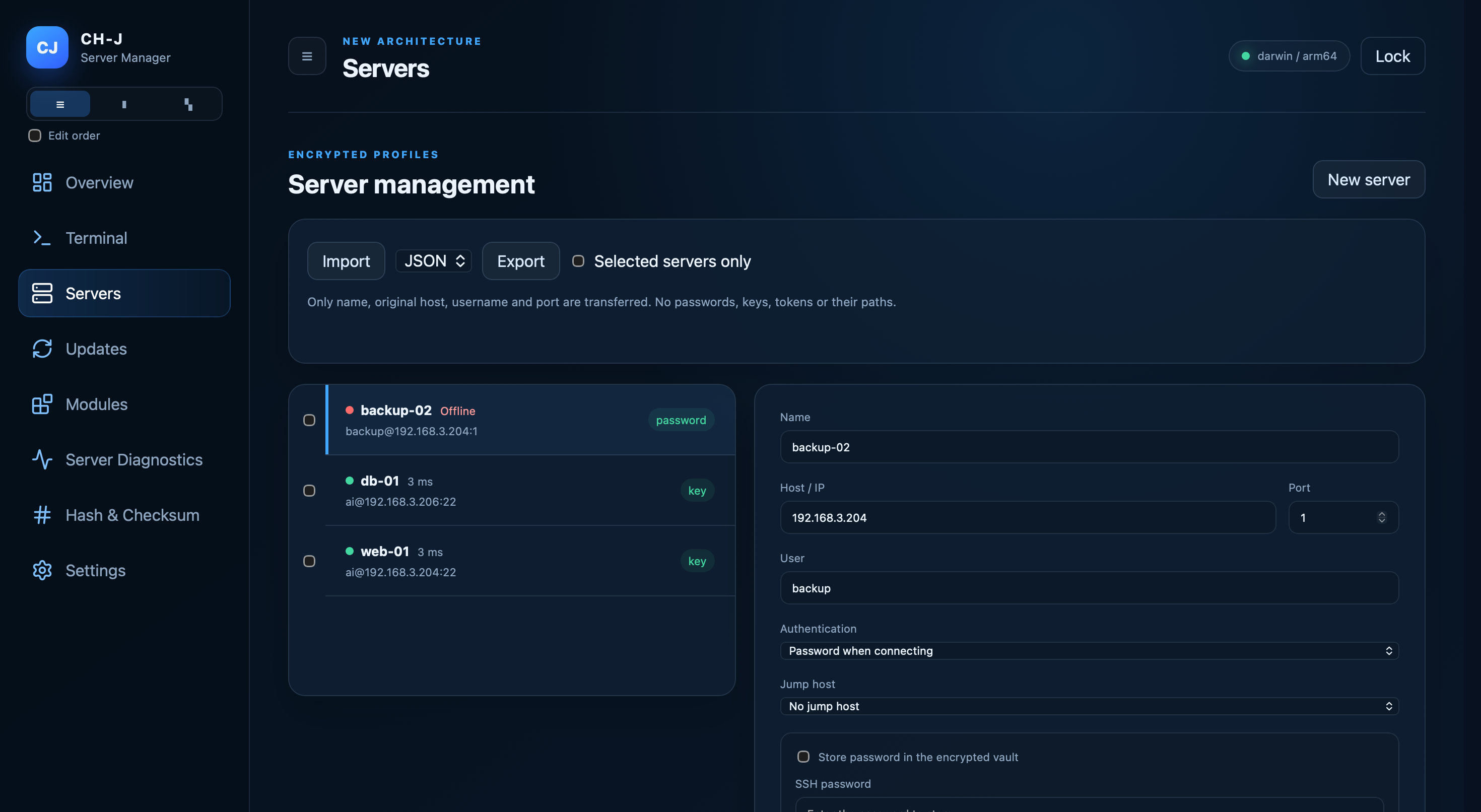
Connect to Linux and other SSH servers directly from the application. A unified environment makes working with multiple servers easier without constantly switching between separate tools.

SFTP file manager

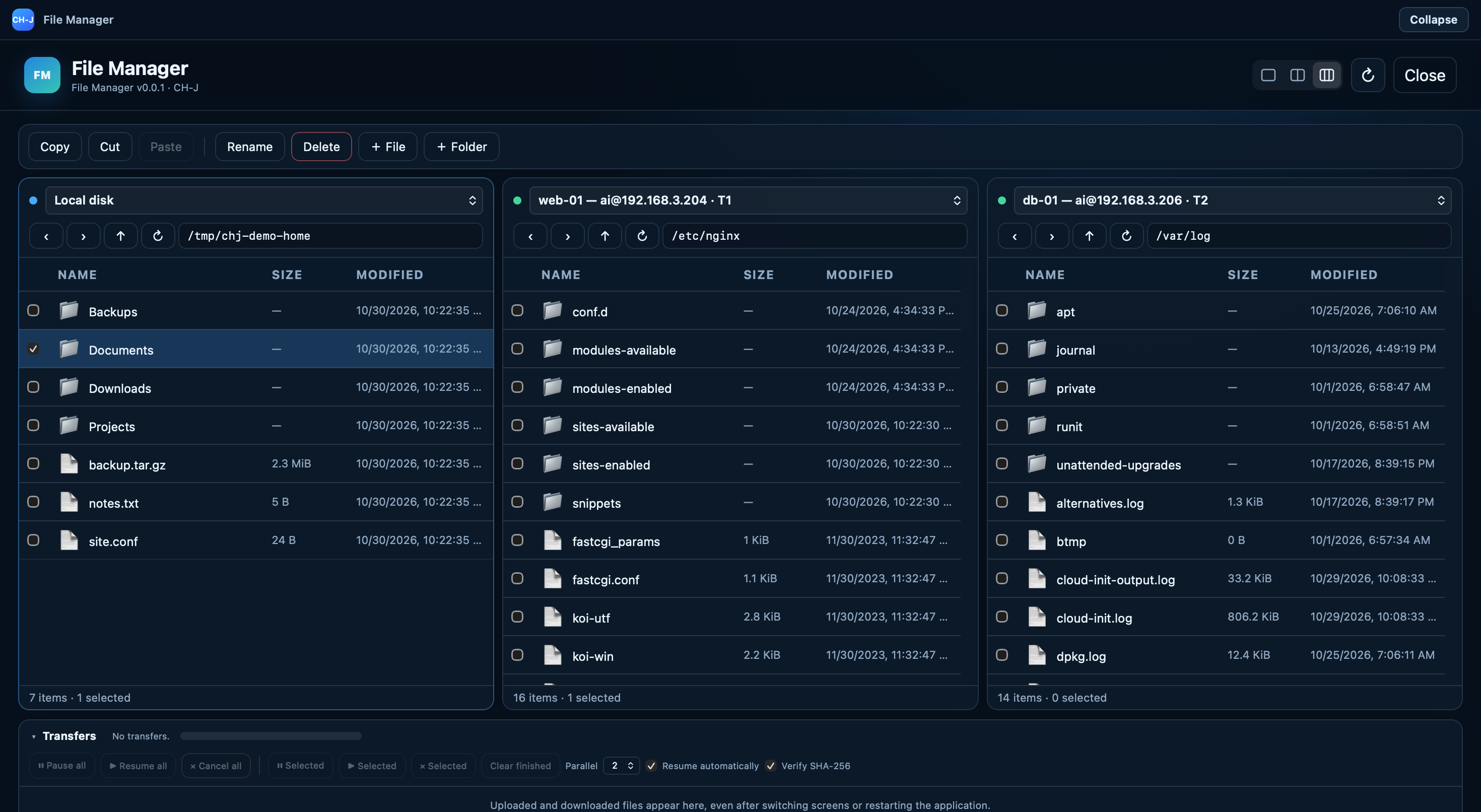
Work with remote files over SFTP while using an SSH terminal within the same server profile.

Organized server profiles

Store servers in individual profiles and keep the required connection parameters available in one place.

Installable tools

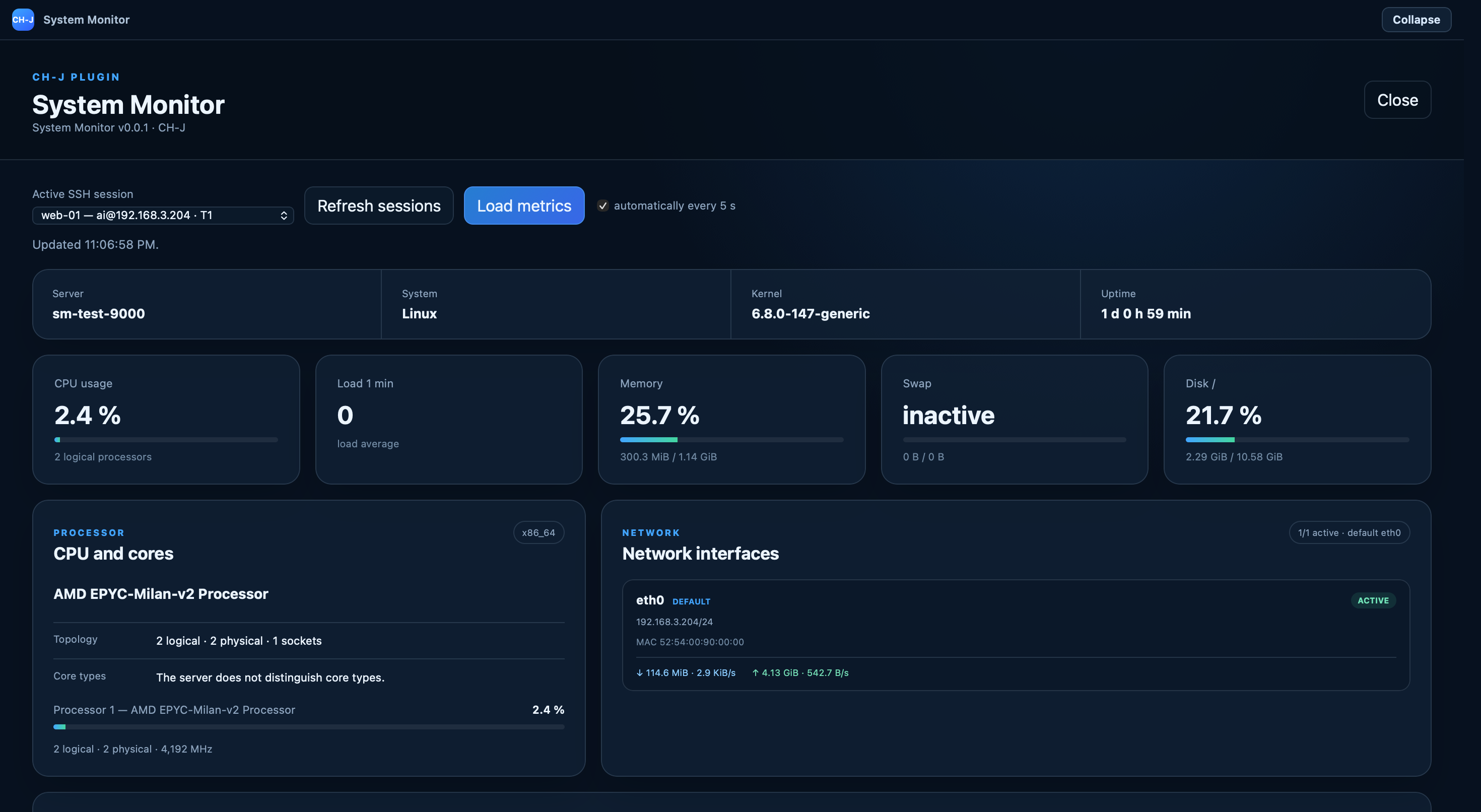
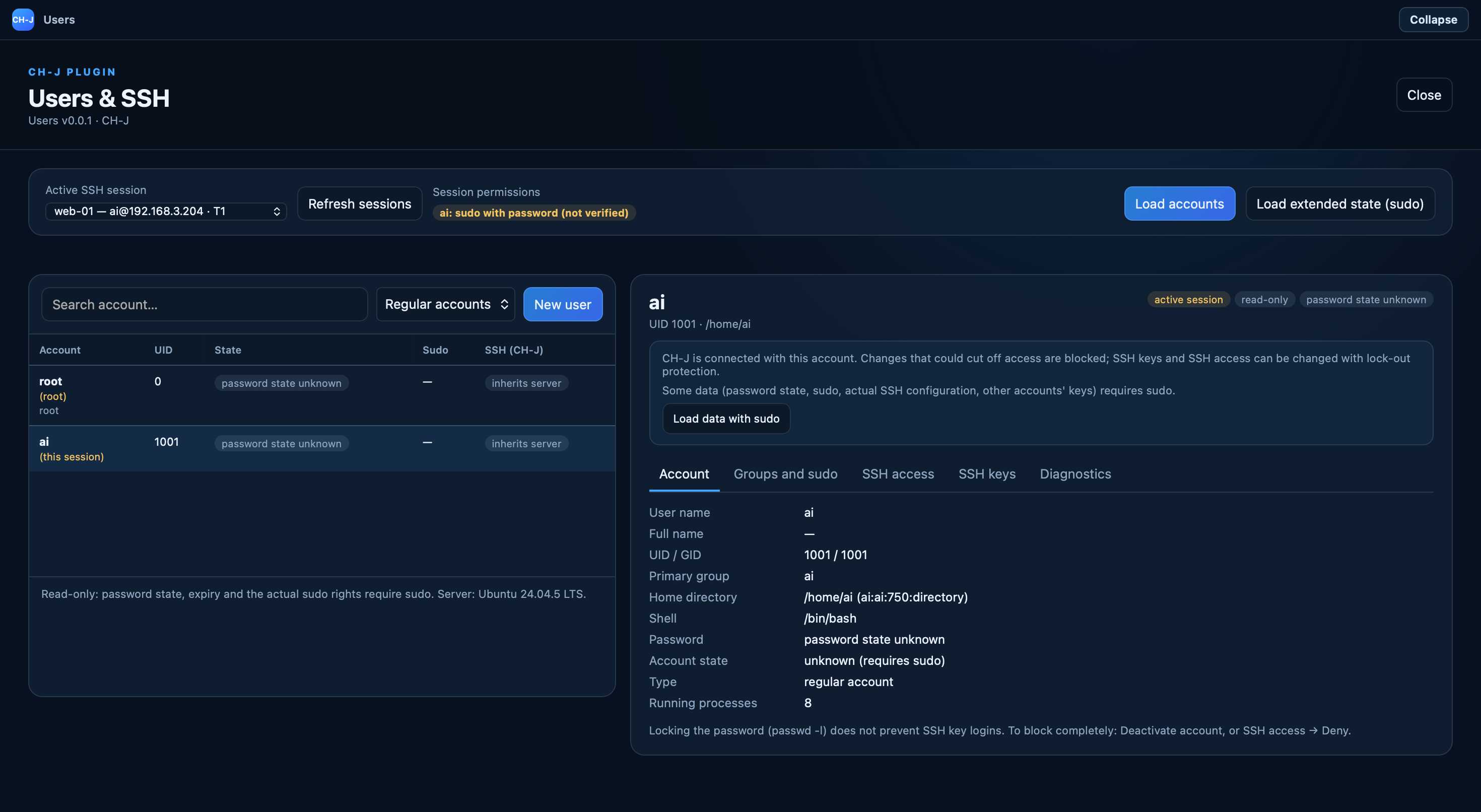
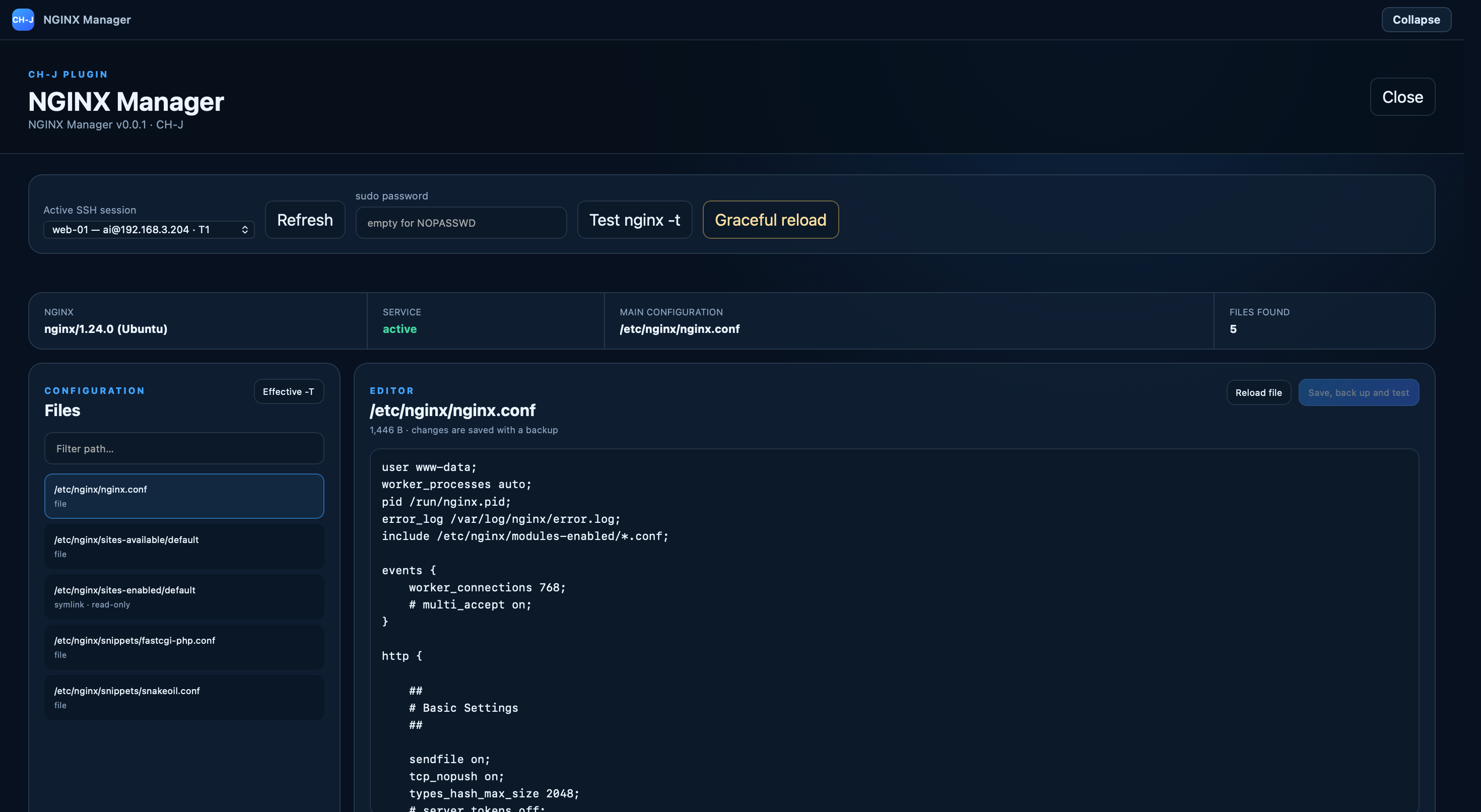
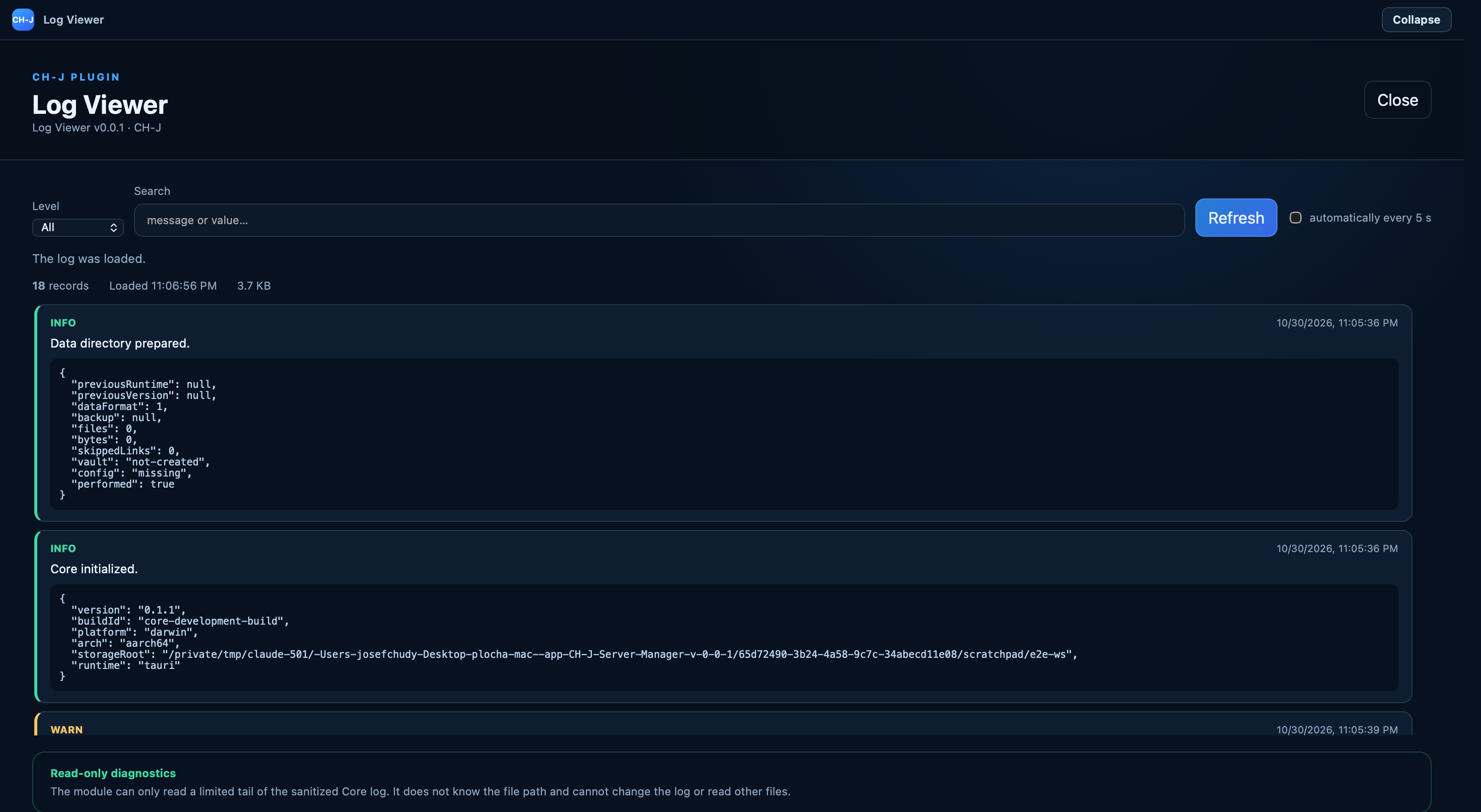
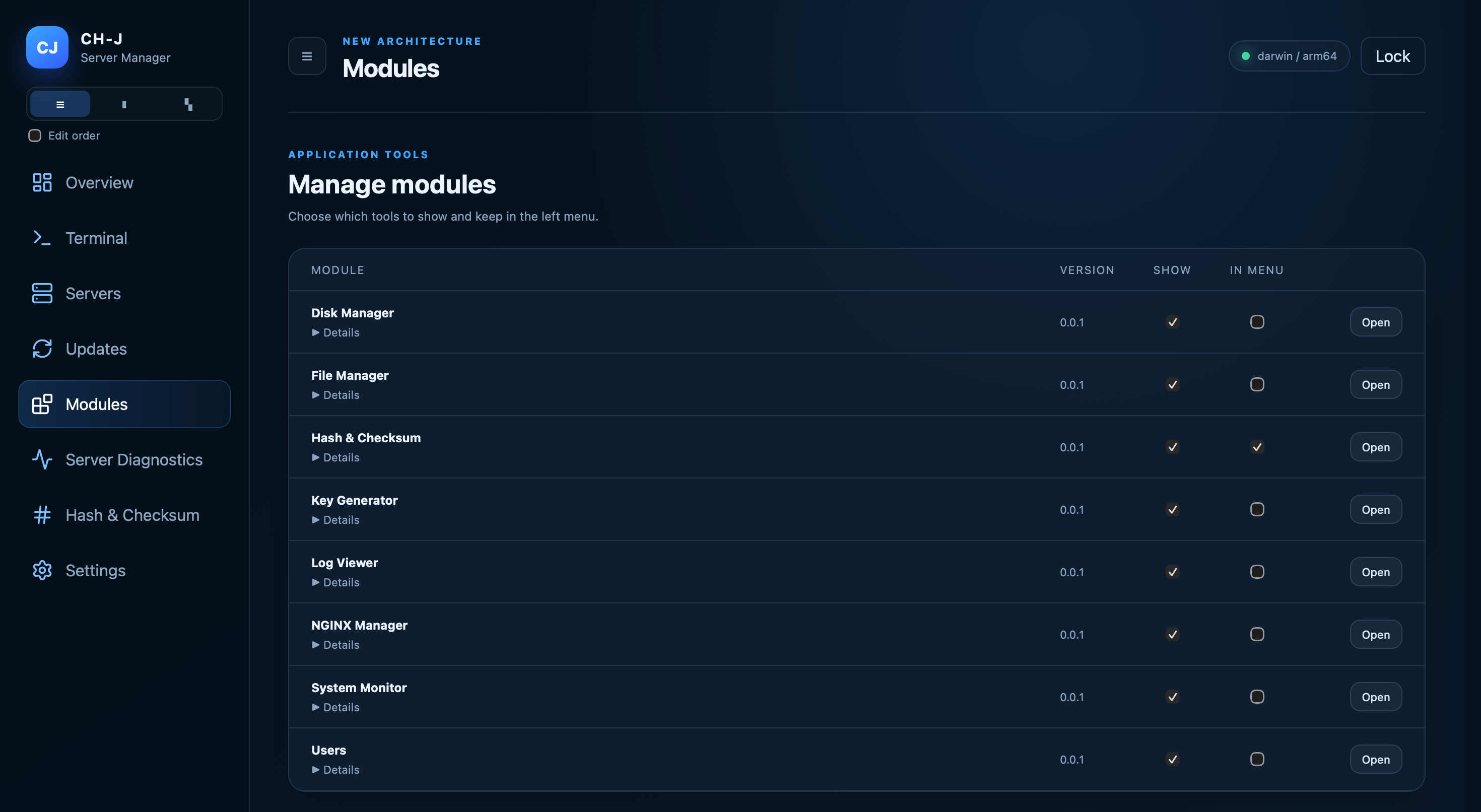
Extend the compact Core with separate plugins for monitoring, SFTP file management, SSH keys, logs, users or NGINX without modifying the base application.

server diagnostics

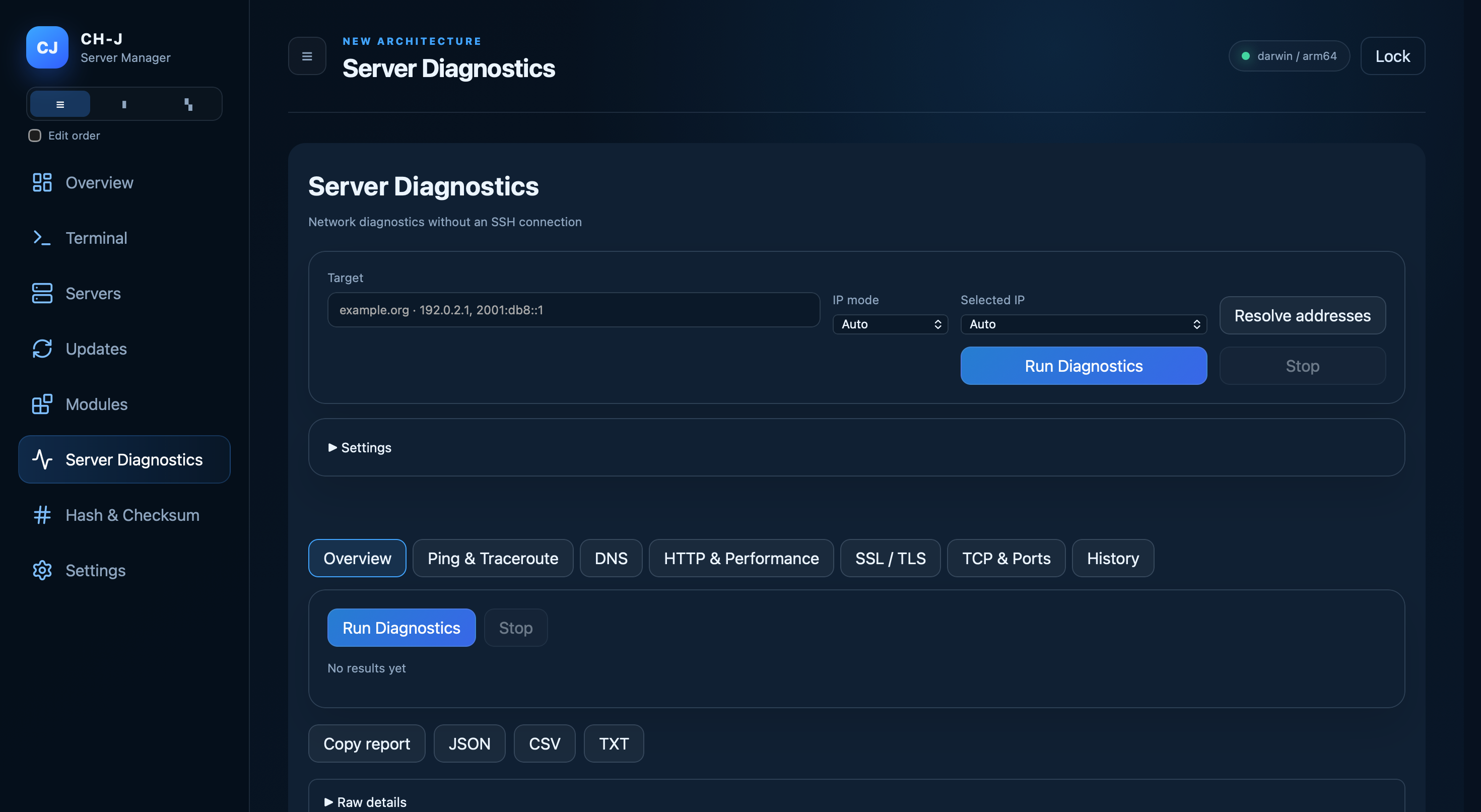
Probe ICMP, traceroute, DNS, HTTP/1.1/2/3, TLS and TCP without an SSH connection. Live results, local history and JSON/CSV/TXT exports.

Server Diagnostics →

checksum verification

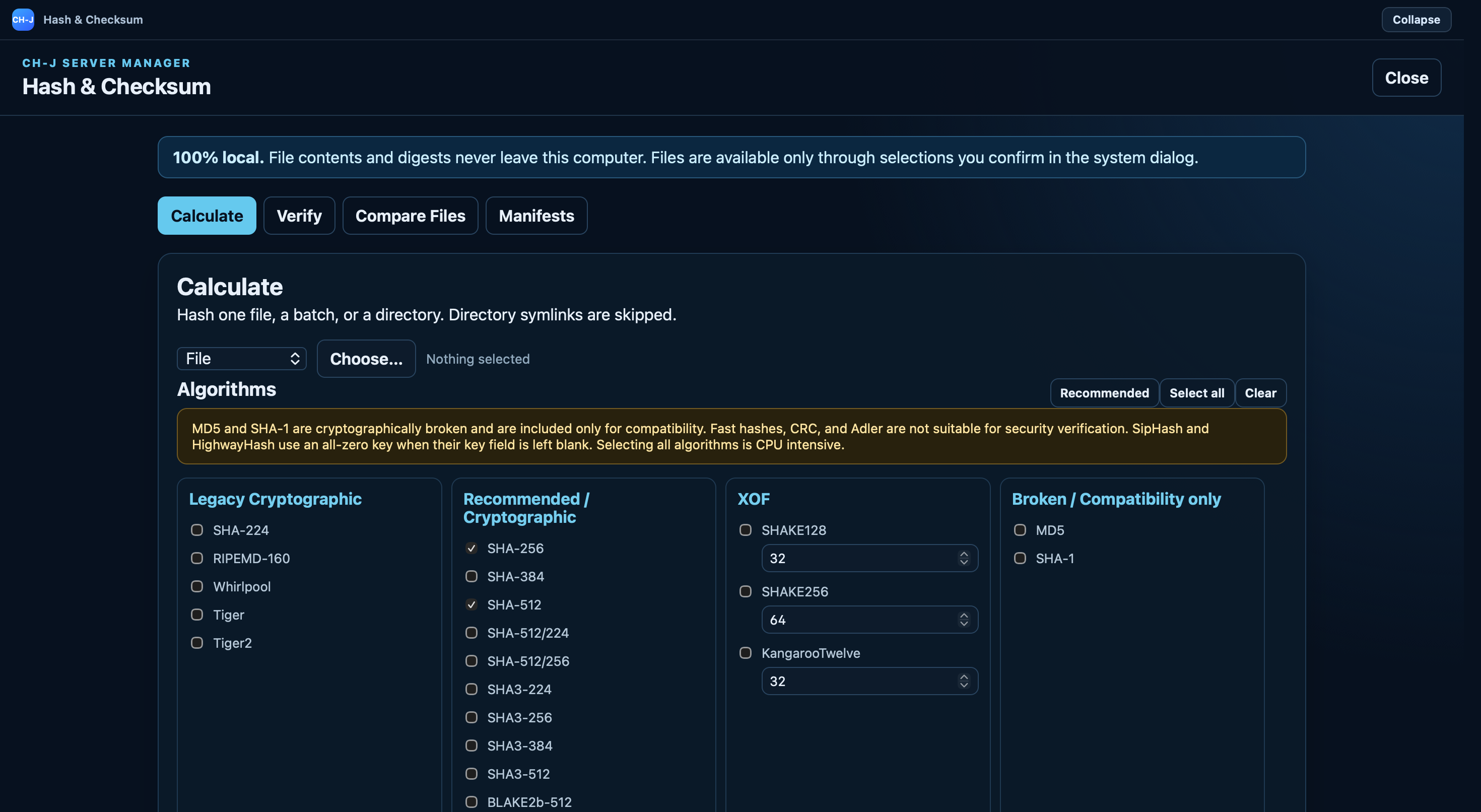
Calculate local file hashes with 49 algorithms, verify expected digests, compare files, and create checksum manifests. Output supports HEX and Base64; file contents and digests are never uploaded.

All algorithms and capabilities →

Guides for specific tasks

Procedures, requirements and limitations for each feature.

All guides and articles →

THE APP IN PRACTICE

Explore CH-J Tools

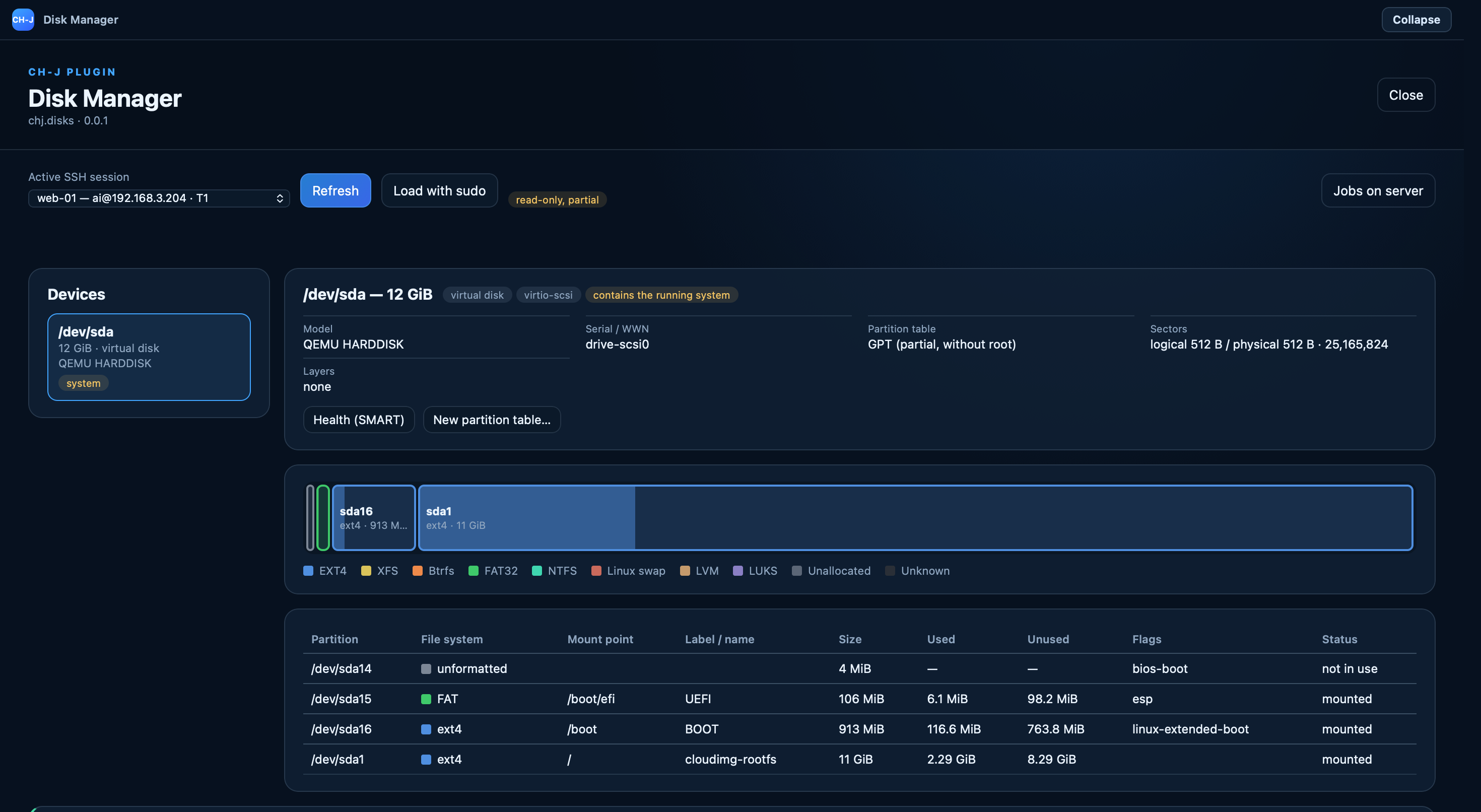
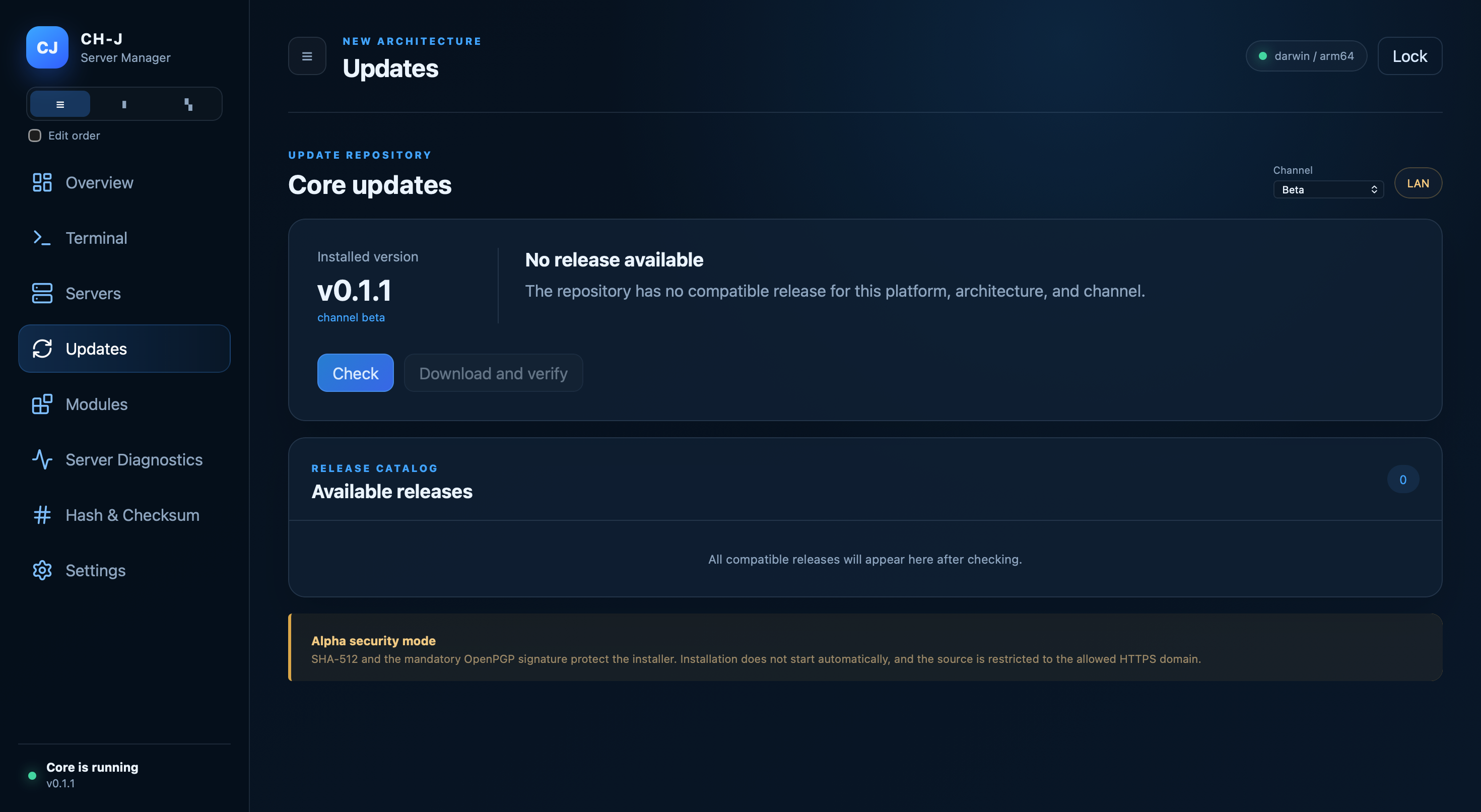
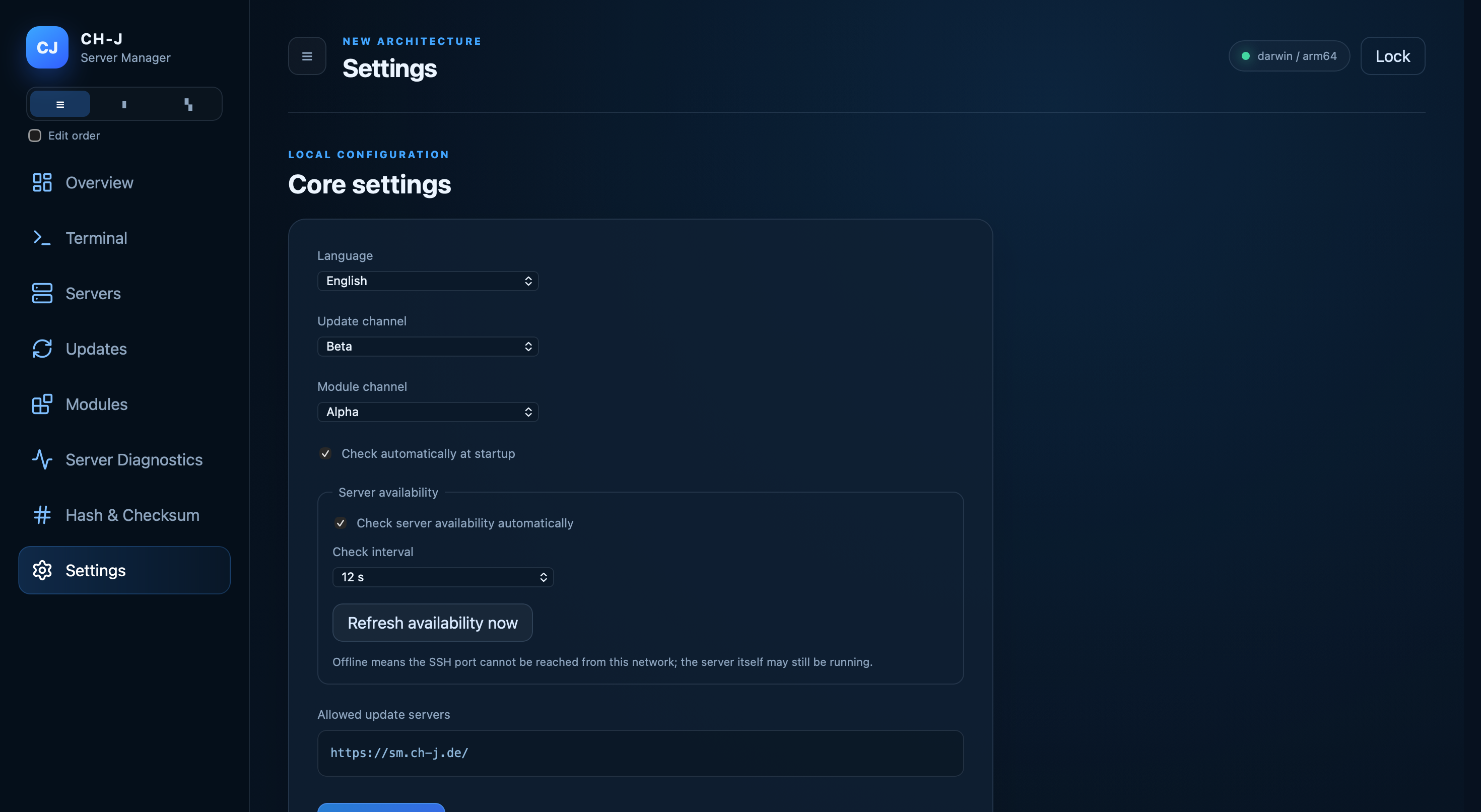
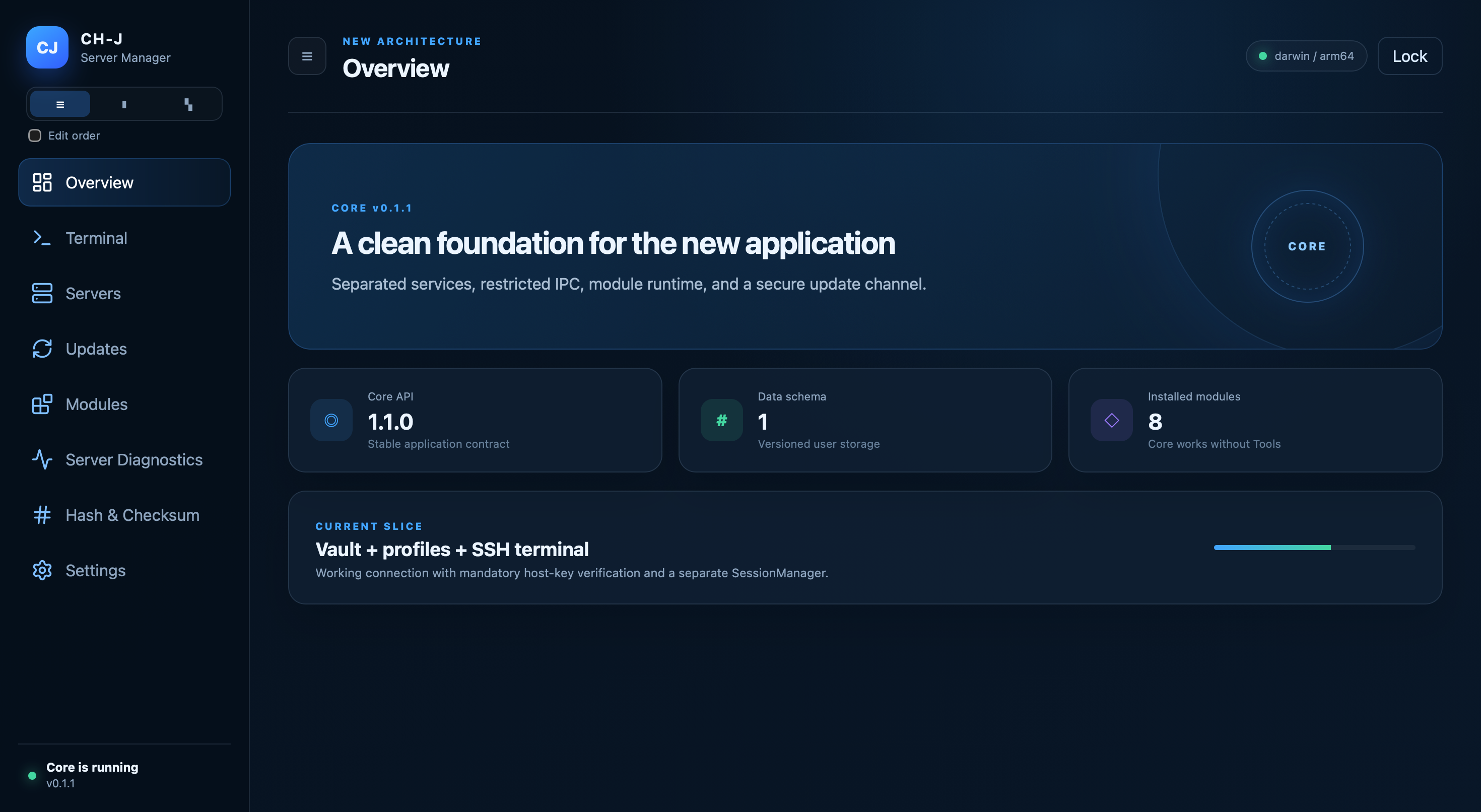
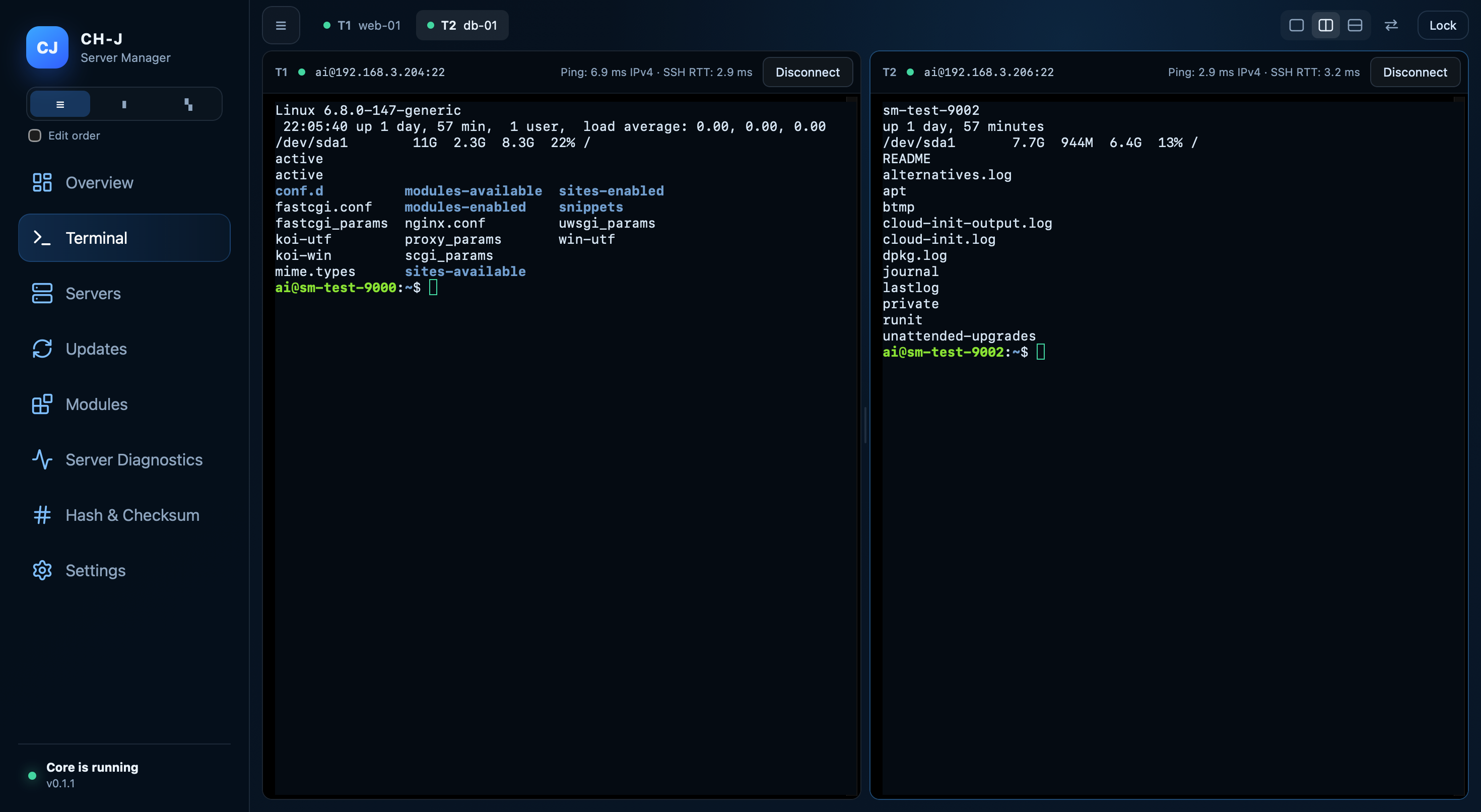
Current screenshots of Alpha 0.1.1 in the language of this page: overview, SSH terminal, all application tools, diagnostics, updates, plugins and settings. Full resolution loads only when you open an image.

PACKAGE INTEGRITY

Your connections and data under control

Profiles and saved SSH passwords stay in a local encrypted vault. No CH-J account is required. Application updates require size checks, SHA-512 and a valid OpenPGP signature. Current alpha TLS and platform signing limitations are documented.

Security and backups →
SUPPORT

Frequently asked questions

Concise answers about supported systems, connections, data storage and updates.

View all questions →
Is CH-J Tools free?

Yes. Commercial and non-commercial use of releases under the CH-J Proprietary Software License 1.14 is permitted without license fees indefinitely under its terms.

Which operating systems does it support?

The current Beta 0.1.2 targets Windows 11 x64, macOS on Apple Silicon (ARM64), and Ubuntu 24.04 LTS x64. Packages currently available are always listed in the Download section. The Linux version uses a DEB package. Ubuntu 24.04 LTS is the primary test platform; the author has also tested both Alpha and Beta on Zorin OS.

Where are connections and sensitive data stored?

Profiles, saved SSH passwords and known host keys are stored in a local encrypted vault. The master password is not stored on disk; with key authentication, the private key remains in the local file selected by the user.

How do I update the application?

The application loads an HTTPS catalog of compatible releases for the selected channel. Before using an update package, it verifies the expected size and SHA-512 checksum. Application updates also require a valid detached OpenPGP signature. License acceptance is required again for every new build.

Documentation

Installation guides, detailed documentation and source code are available on this website.

CH-J · CSPRNG

Public randomness for testing

CH-J Entropy Monitor publishes independent 512-bit random values from the system CSPRNG every 30 seconds and keeps a 60-minute history (up to 120 values). Use them for demonstrations, application tests and experiments with shared public random inputs.

Every value is public. Do not use it as a secret encryption key, password or authentication token.

Open Entropy Monitor →JSON API →